
Add the Elevage.ai app to your iPhone
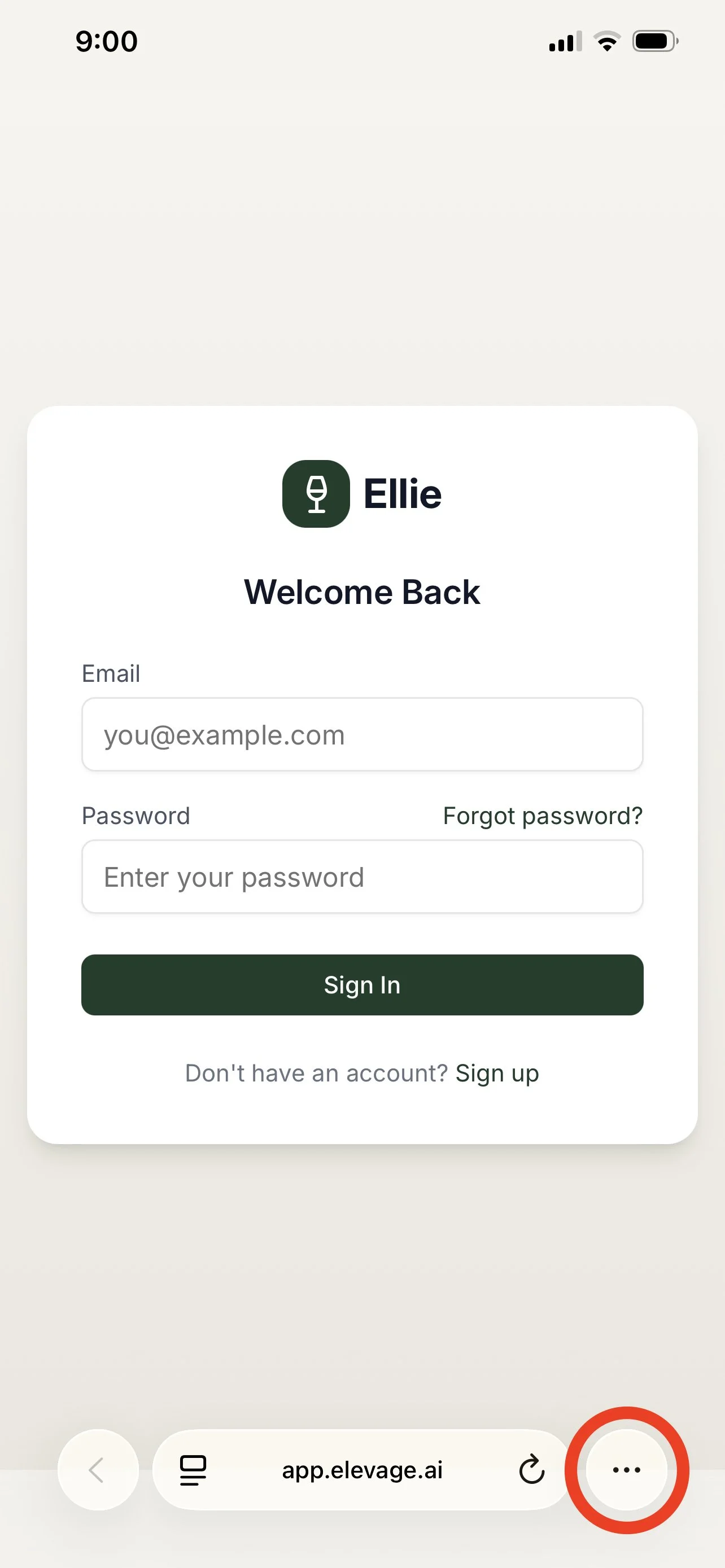
Go to app.elevage.ai on safari
Select the three dots at the bottom right.
Select View More at the bottom right
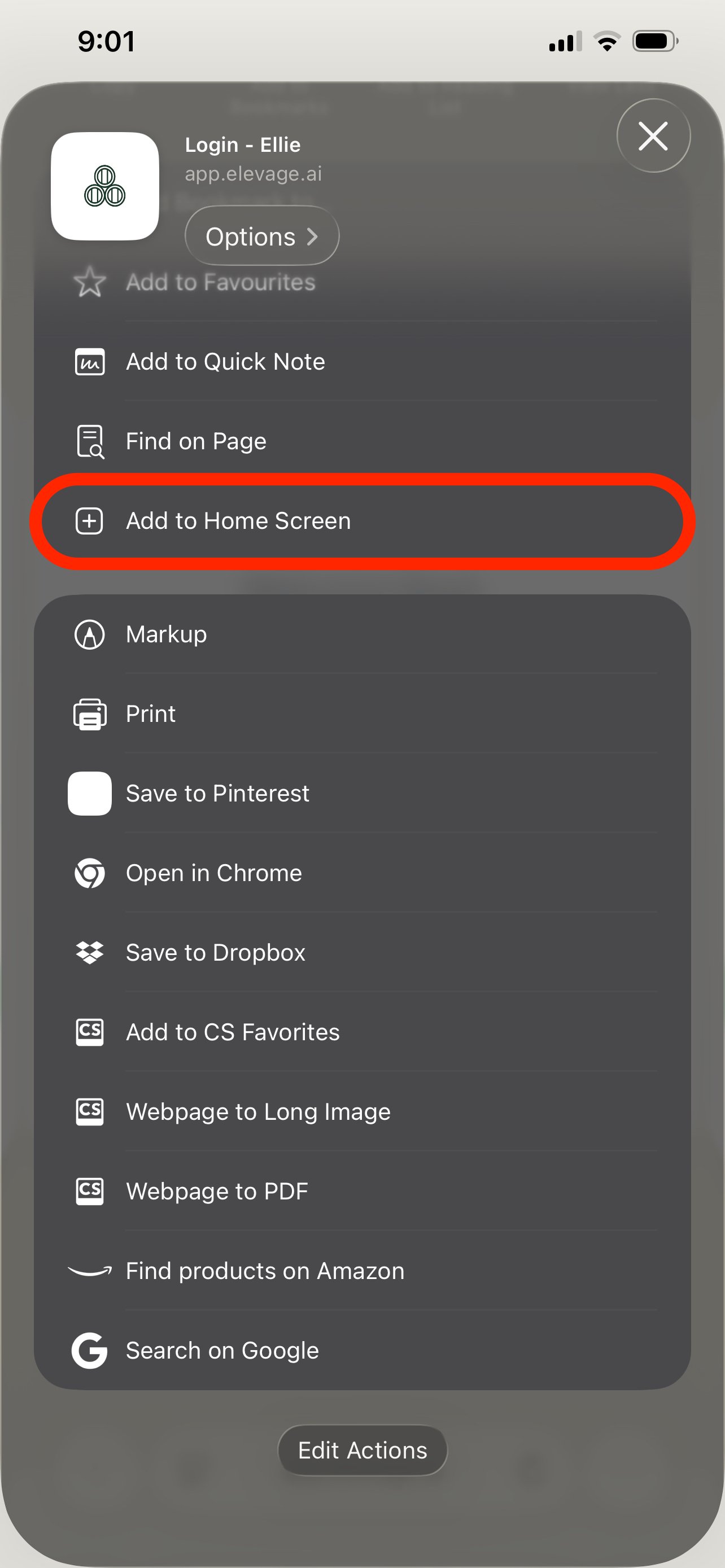
Scroll down and select Add to Home Screen
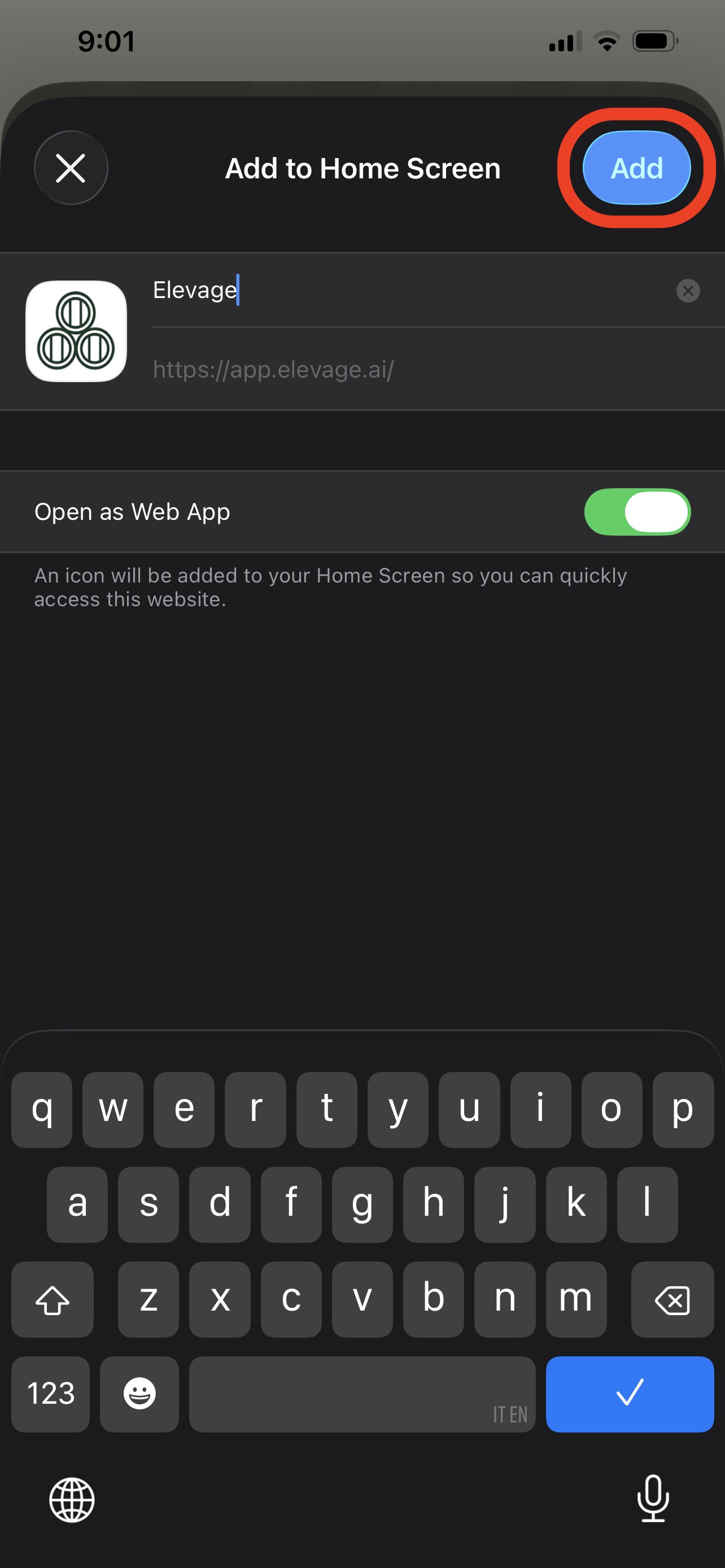
Select Add
Go to app.elevage.ai on safari
Select the three dots at the bottom right.
Select View More at the bottom right
Scroll down and select Add to Home Screen
Select Add